

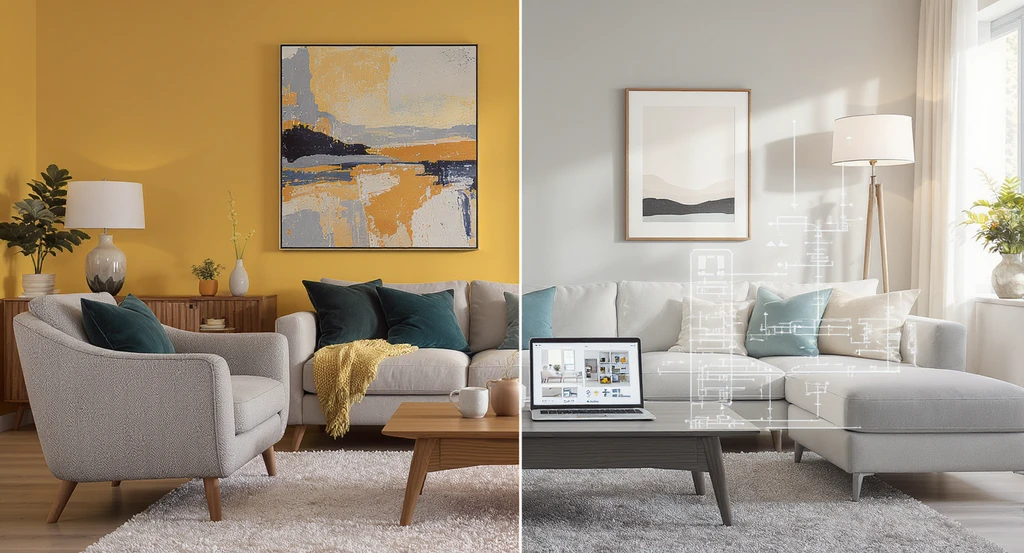

AI home decor editing has become one of the best smart tools that give users an opportunity to renovate and try different ideas for furniture, colors, and materials. This is done without the need to buy new pieces or start from scratch. Instead of settling for imagining how the changes will look, you can edit an interior design photo and see a visual representation of the result before making your decision. In this article, you will learn how to use AI home decor editing to change furniture, try new styles, and develop your room’s design easily. We will also show you the best professional tools you can rely on and how to use them step by step.
How Does AI Help You Change Your Room’s Furniture Before Buying?
AI gives you an opportunity to try different furniture pieces inside a photo of your room before spending money on buying them. Instead of imagining how the new sofa will look or wondering whether the coffee table will suit the rest of the furniture, you can edit the photo and see a visual representation of the suggested look.
Using an AI home decor editing tool, you can, for example:
- Try alternative furniture pieces, such as replacing the current sofa with a green velvet sofa, or changing the coffee table to a round travertine table.
- Compare materials and finishes, such as trying natural wood, marble, or different fabrics to see how they coordinate with the existing elements.
- Add or remove furniture, such as trying the look of the room after adding a side chair or removing a piece that takes up space you do not need.
How Do AI Home Decor Editing Tools Work?
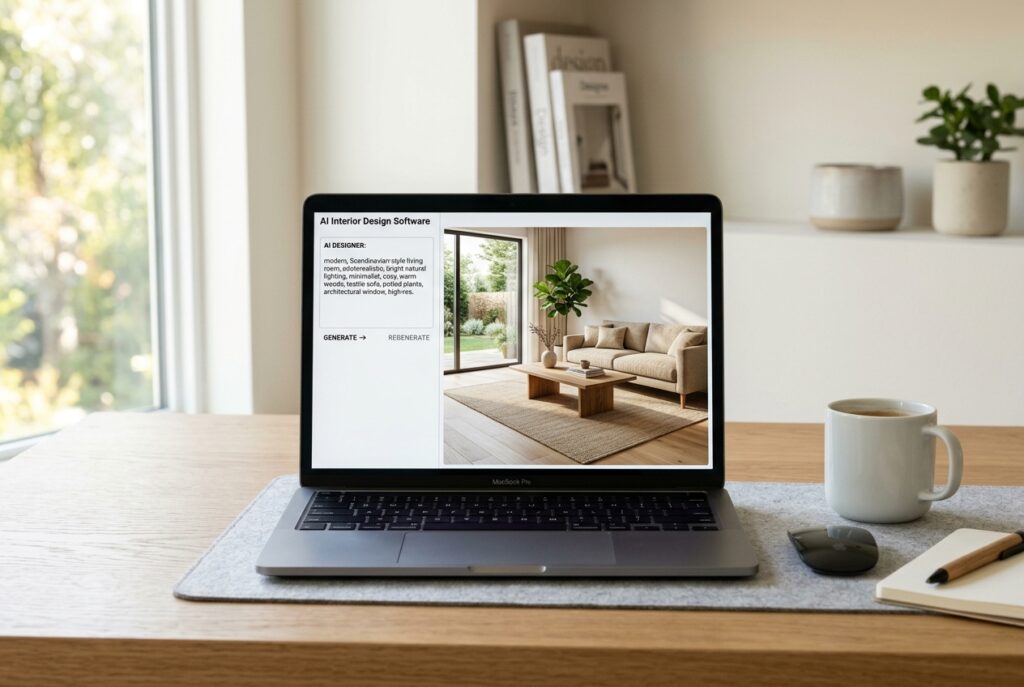
AI home decor editing tools rely on analyzing the photo you upload. After that, these tools apply the changes you describe while trying to keep the rest of the design elements.
Instead of editing the photo manually or redesigning the whole room, you can direct the tool to the details you want to change through a written description.
To get a more accurate result with these tools, do not settle for mentioning the color or style you want; clarify the intended element, the required change, and what should remain unchanged.
In this way, through AI home decor editing tools, you can test multiple ideas and compare the effect of each on the design before implementing them in your home.
Why Choose Zory for AI Home Decor Editing?
Among its smart interior design tools, the Zory platform offers one of the best tools for AI home decor editing.
This is through the smart Quick Edits tool, which allows you to develop an existing photo by describing the required changes, instead of starting from scratch. Among the most prominent things that distinguish the tool:
- Modifying details without redesigning, as you can easily keep the elements you like.
- Specifying what changes and what stays, as you can specify the element to be modified, and ask to keep the rest of the design as much as possible.
- Trying various changes, such as modifying the furniture, walls, and lighting, or adding new elements and removing unwanted details.
- Making several modifications in one description, as you can ask to change the color of the sofa, replace the chandelier, and add curtains within one set of instructions.
Steps for Modifying a Room Design with AI and Changing the Decor Using Zory

Zory’s Quick Edits tool lets you change furniture with AI through a written description, without needing to manually select the area to be modified. Follow the steps below to try the AI photo editing tool for decor and develop your room’s decor:
- Open Zory’s Quick Edits tool to start modifying the design.
- Click the “Start Editing” button to go to the studio and try the tool. You can go to it directly from here.
- Upload the interior design photo by clicking the “Upload File” button.
- Choose a clear photo of the room or of the design you want to develop, so that the elements you want to modify appear.
- In the description box, write a clear description and specify the elements you want to modify and their location, then explain specifically what you want to change. For example: “Replace the painted TV wall with panels of light natural oak wood.”
- Clarify the elements you want to keep in the description box as well. If you want to change only one detail, add instructions such as: “Keep the furniture layout, the floor, the lighting, and the rest of the details as they are.”
- Start the modification and review the final image to make sure it is close to your vision. If it is not suitable, improve the description and make the instructions more specific.
How Do You Move from AI Photo Editing Online to Buying Real Furniture?
AI photo editing online helps you determine the look you prefer before searching for the suitable furniture.
After reaching a suitable visualization, the next step comes, which is searching for real products that match the design in terms of color, material, and style.
Zory’s Quick Edits tool links the design experience with discovering furniture and decor from its partner stores. This helps you move from exploring ideas to searching for products that can be bought.
To benefit from this step and move from AI home decor editing to directly buying the pieces you liked, follow the below:
- Identify the pieces you want to buy.
- Search for matching or similar products through Zory and its partner stores.
- Review the materials, colors, and details, and check the product’s specifications and actual photos well.
Tips for Getting Realistic Results When Using AI Home Decor Editing
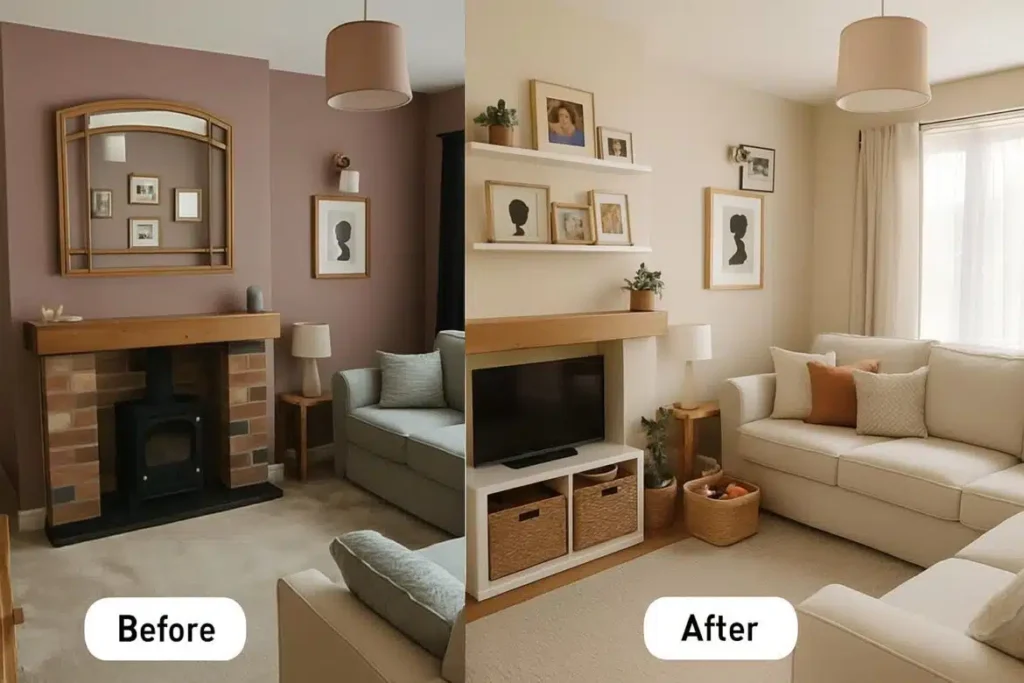
The quality of AI home decor editing depends on the clarity of the photo and the accuracy of the instructions you give the tool.
The more specific your description is, the easier it is to clarify the result you want to reach and to reduce unintended changes. To get better results using Zory’s Quick Edits, follow these tips:
- Choose a clear photo in which the room and the element to be modified appear clearly, so that it is easy to identify its location and describe it.
- Specify the element you want to change and its location in detail. For example, do not settle for the phrase “change the lighting”, but write, for instance: “Replace the large chandelier in the middle of the ceiling with a black pendant lamp.”
- Describe the replacement in detail and mention the color, material, shape, and design style.
- Clarify what should stay as it is. If you want to modify one piece, ask to keep the rest of the furniture, walls, floor, and lighting as much as possible.
- Review the result and do not always rely on the first attempt. If the element does not appear in the required form, modify the description and add more specific details.
Conclusion
AI home decor editing tools give you an opportunity to try new ideas, change furniture, colors, and materials, and develop the details of your room without needing to start from scratch.
With Zory’s Quick Edits tool, you can keep the elements you like and modify what does not suit your taste through a simple and clear description, to reach a visualization closer to what you want before making purchase or renovation decisions.
Try Zory now to make quick edits to your space, and test different ideas for furniture, colors, and details. And discover the best AI tools for interior design, and how simple changes can give your space a new look that suits your taste and needs.